Implement Schema JSON-LD Markup: Get Noticed by Google
This guide will focus on adding Schema JSON-LD Markup to websites, which can be a daunting task because there’s literally hundreds of schemas available, here you will learn how to add schema JSON-LD markup to a website and the schemas that are actually imporant.
SEO used to be simpler. You’d find a keyword, sprinkle it around your page like salt, and hope for the best. In 2026, that’s not enough. Search engines are trying to move away from matching words and move toward understanding concepts.
If you have a page about “Jaguar,” Google needs to know if you’re talking about the car, the animal, or the old football team. That is exactly what Schema JSON-LD Markup does. It’s like a set of subtitles for your website traffic.
Table of Contents
1. What Exactly is Schema JSON-LD Markup?
Before we touch any code, you need to understand the mechanism. JSON-LD stands for JavaScript Object Notation for Linked Data.
If you look at a standard webpage, you see images, headlines, and buttons. A search engine crawler sees a massive wall of HTML code. It has to guess what is what. Is that bold text a title or a price? Is that image a logo or a product shot?
When you add a Schema JSON-LD Markup script, you’re saying: “Hey Google, don’t guess. Here is a tidy list of exactly what this page contains.”
Why this matters for your traffic
You aren’t doing this just to be “organized.” You’re doing it for the Rich Snippets.
- The Recipe: Stars, calories, and prep time.
- The Product: Price, “In Stock” labels, and reviews.
- The FAQ: Those clickable questions that take up extra space in the search results.
Every time you get a Rich Snippet, your SERP click-through rate (CTR) goes up. People trust the result with the stars more than the plain blue link. It’s as simple as that.
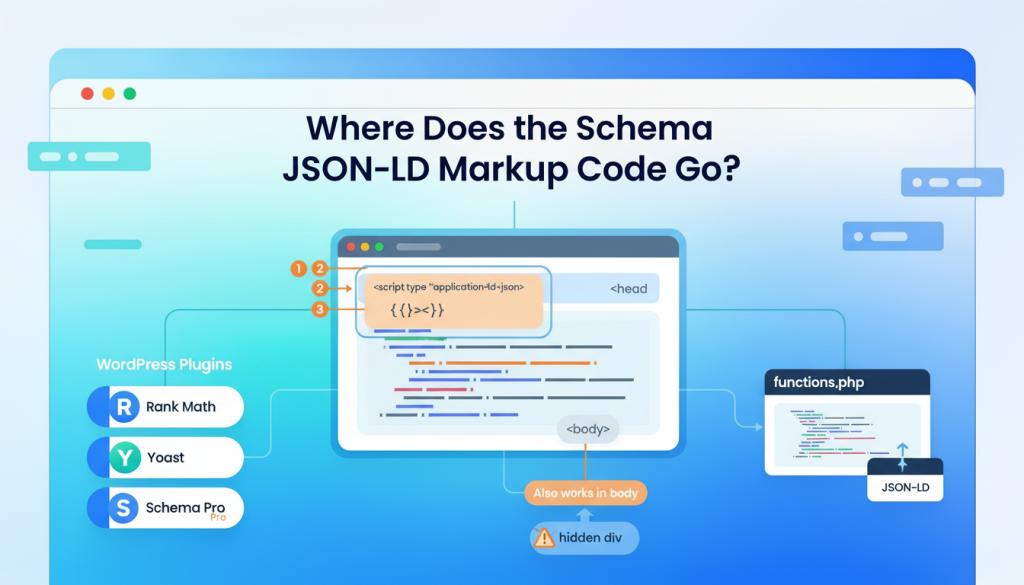
2. Where Does the Schema JSON-LD Markup Code Go?
Most guides just give you a block of code and leave you to figure it out. Let’s look at the actual locations on your server or in your CMS.
The Standard: The <head> Section
The “head” of your HTML is where your metadata lives. It’s the “instruction manual” for the browser. Most SEO experts (and Google) recommend putting your Schema here.
The Step-by-Step:
- Open your page’s HTML file.
- Look for the
<head>tag at the very top. - Paste your
<script type="application/ld+json">block anywhere before the closing</head>tag.
Why here? Because it ensures the search engine finds the “context” of the page before it spends time downloading heavy images or third-party tracking scripts.
The “I Can’t Access My Header” Method
Maybe you’re using a restricted CMS, or you’re a marketing person who doesn’t have access to the site’s core files. Can you put it in the <body>?
Yes. You can. You can literally drop a JSON-LD script right in the middle of your page content, or at the very bottom before the </body> tag. Google will still execute the JavaScript and read the data.
The Only Rule: Do not put it inside another tag that might hide it (like a hidden div) or within a script that might conflict with it. Just let it sit out in the open.
3. The WordPress Dilemma: Plugins vs. Manual
If you’re on WordPress, you have two paths: the easy path (plugins) and the “clean” path (code).
The Plugin Path
Look, if you have a massive site, don’t try to be a hero. Use a plugin. But don’t just install five of them. Pick one.
- Rank Math SEO: This is currently the best “all-rounder.” It lets you add schema to posts, pages, and even custom post types without paying for a pro version. It handles the “HowTo” and “FAQ” blocks beautifully.
- Yoast SEO: This is the old guard. It’s very good at “linking” your data. It tells Google: “This website checks this company, and this company is owned by this person.” This is huge for E-E-A-T (Trust).
- Schema Pro: Paid option if you have a complex site, Like a real estate site or a job board, this is worth the money. It allows you to “map” your existing content fields to Schema fields automatically.
The Manual Path (For the Purists)
If you want to keep your site fast and avoid plugin bloat, you can use the functions.php file in your theme. You can write a small function that says: “If this is a single post, inject this specific JSON code into the header.” It’s cleaner, but it requires you to be comfortable with a little bit of PHP.
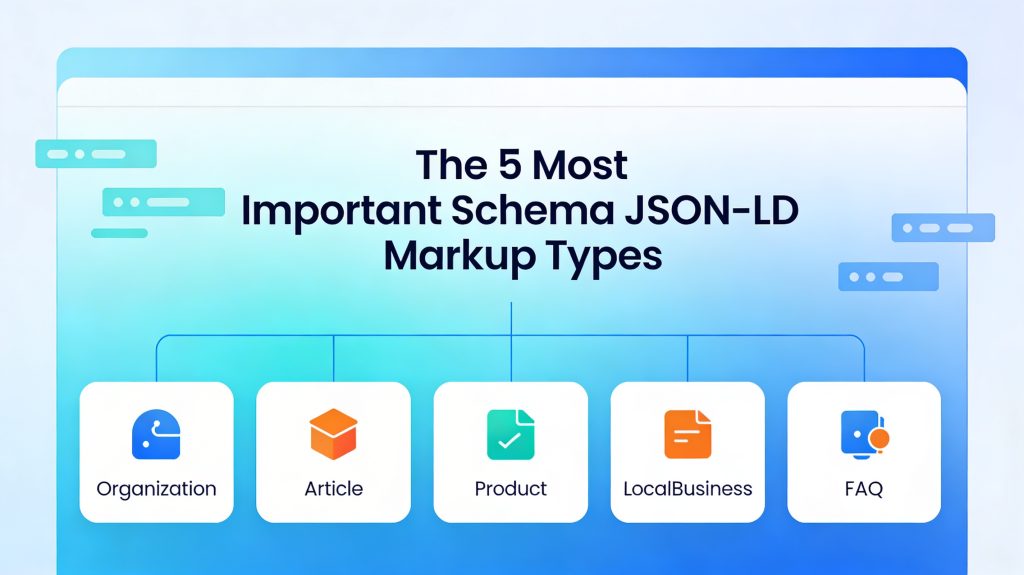
4. The 5 Most Important Schema JSON-LD Markup Types
You can mark up almost anything (even “Sculptures” or “Bowling Alleys”), but for 99% of websites these five are the heavy hitters.
1. Organization Schema
- The Secret Field: Use the
sameAsproperty. List your Facebook, Twitter, LinkedIn, and Instagram URLs here. This is how Google knows that social media profiles are you.
2. Article / BlogPosting Schema
- The “Author” Trap: In the old days, you could just put a name. Now, Google wants to see an “Author Profile.” Link the author in your schema to their “About” page or their LinkedIn profile. It proves a real human wrote the content.
3. Product Schema
- Nested Offers: A “Product” schema isn’t enough on its own. You have to “nest” an
Offerinside it. This is where the price and currency live. If you forget theOffer, you won’t get the price snippet in search results.
4. LocalBusiness Schema
- The Accuracy Test: Your address and phone number in the code must match your Google Business Profile exactly. Even a small difference (like “St.” vs “Street”) can sometimes confuse the algorithm.
5. FAQ Schema
- The “User First” Rule: Don’t put questions in your schema that aren’t on the page. If a human can’t see the question, don’t hide it in the code. That’s a quick way to get a “spammy structured data” penalty.
5. How to Build Your First Schema JSON-LD Markup Block
- Go to a generator: I recommend the Schema JSON-LD Markup Maker.
- Choose your type: Select between the 15 schema markups available.
- Fill in the fields: Copy and paste info from your page.
- Check for “Required” vs “Recommended”: Most web tools will tell you if you’re missing something vital (like a “Price” or “Image”).
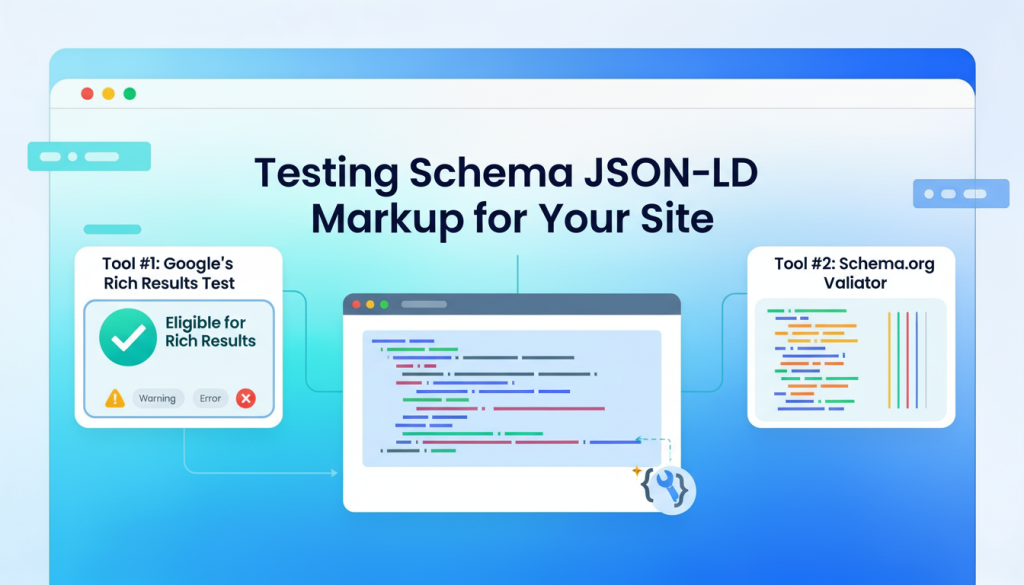
6. Testing Schema JSON-LD Markup for your site
Once you’ve pasted your code, you have to verify it. Do not skip this.
Tool #1: Google’s Rich Results Test
This is the only tool that matters for your ranking. It tells you exactly what Google Rich Results sees.
- What to look for: A green checkmark that says “Eligible for Rich Results.”
- The “Warning” vs “Error” distinction: An Error means your schema won’t show up. A Warning (like “missing field ‘brand'”) means it might still show up, but it won’t be as “rich” as it could be.
Tool #2: Schema.org Validator
This is the “technical” version. It’s less about Google and more about the global standard of data. Use this if you’re doing complex, custom work.
Test your code: Don’t blindly paste your newly minted JSON-LD snippet into your website. Head over to Google’s Rich Results Test tool (linked below), paste your code, and run it to catch any lingering syntax errors. Passing this test guarantees search engines can actually read your markup.
Implement on your site: Once validated, inject the script directly into the <head> or <body> section of your target web page. If you’re using a CMS like WordPress, a dedicated SEO plugin or Google Tag Manager makes this seamless.
Monitor your success: Structured data isn’t a set-it-and-forget-it task. After a few days, log into Google Search Console and check your “Enhancements” report. This confirms Google has successfully crawled your schema and will automatically alert you if any new validation issues pop up down the road.
7. The “AI” Factor: Schema JSON-LD Markup in 2026
Why are we talking about this so much in 2026? Because of AI Search.
When an AI like Gemini or ChatGPT browses the web to answer a user’s question, it doesn’t want to read your whole blog post to find the answer. It wants to pull the facts.
- If you have HowTo schema, the AI can easily list your steps in an “AI Overview.”
- If you have Review schema, the AI can confidently say, “Users give this product a 4.5/5.”
By using Schema, you aren’t just ranking in Google; you’re becoming a “data source” for AI models.
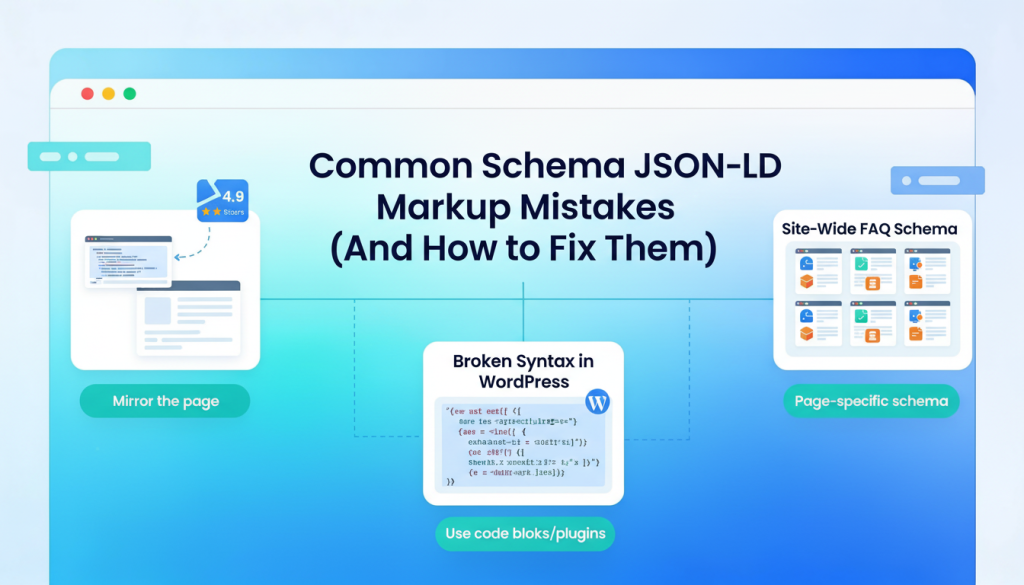
8. Common Schema JSON-LD Markup Mistakes (And How to Fix Them)
I’ve analyzed many sites, and these three mistakes happen everywhere.
Mistake 1: The “Invisible” Data
You put a “4.9 star rating” in your code, but there are no reviews on the actual page.
- The Fix: Make sure your code is a mirror of your page. If it’s in the code, it must be visible to the human eye.
Mistake 2: Site-Wide FAQ Schema
You have a set of “General FAQs” in your footer, so you add FAQ schema to every single page on your site.
- The Fix: Don’t do this. Google wants the schema to be specific to the page. If the page is about “Blue Widgets,” the schema should be about “Blue Widgets,” not your general return policy.
Mistake 3: Broken Syntax in WordPress
You paste your code into a WordPress “Custom HTML” block, and WordPress “cleans” it by removing the quotation marks.
- The Fix: Use a dedicated “Code” block or a plugin. If you see your code turning into plain text on your site, something is stripping the tags.
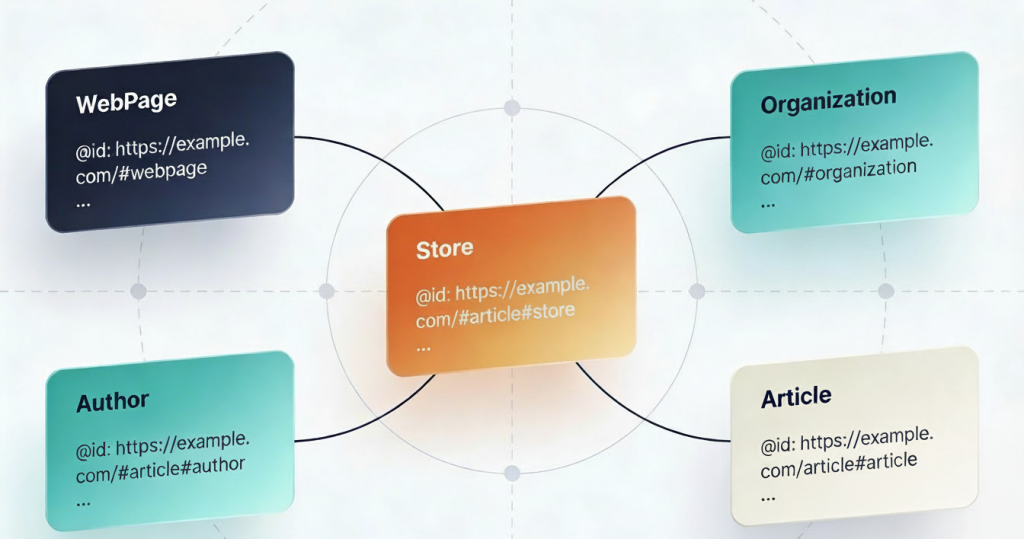
9. Advanced Tip: Connecting the Dots with @id
If you want to be a true pro, you need to learn about the @id tag.
Think of it like a “Unique ID Number” for your brand. On your homepage, you define your brand and give it an ID like https://yoursite.com/#organization.
Then, on your blog posts, you don’t just write your company name. You reference that ID. This tells Google: “This isn’t just a company with the same name; it is literally the exact same entity I saw on the homepage.” This creates a “Graph” of data that is much more powerful for SEO than just isolated blocks of code.
10. The 5-Minute Checklist for Your Site
If you’re feeling overwhelmed, just do these five things. It will put you ahead of 80% of your competitors.
- Homepage: Add “Organization” or “LocalBusiness” schema.
- About Page: Add “Person” schema for the founder/owner.
- Blog Posts: Use a plugin (like Rank Math) to ensure “Article” schema is firing.
- Service Pages: Add “Service” or “Product” schema with a price range.
- Test: Take your top 3 most important URLs and run them through the Rich Results Test. Fix anything that shows up as an “Error.”
Final Thoughts
Schema isn’t a magic button. You won’t add a piece of code and wake up tomorrow at #1 for “Best Insurance.” SEO is a long game.
But what Schema does do is remove the friction between you and the search engine. It makes it easy for Google to say “Yes” to your site.
Bonus tip: Make sure your canonical tags are correctly configured, they are important SEO signals.